Blog Feed

Introductory Post

Schlopes

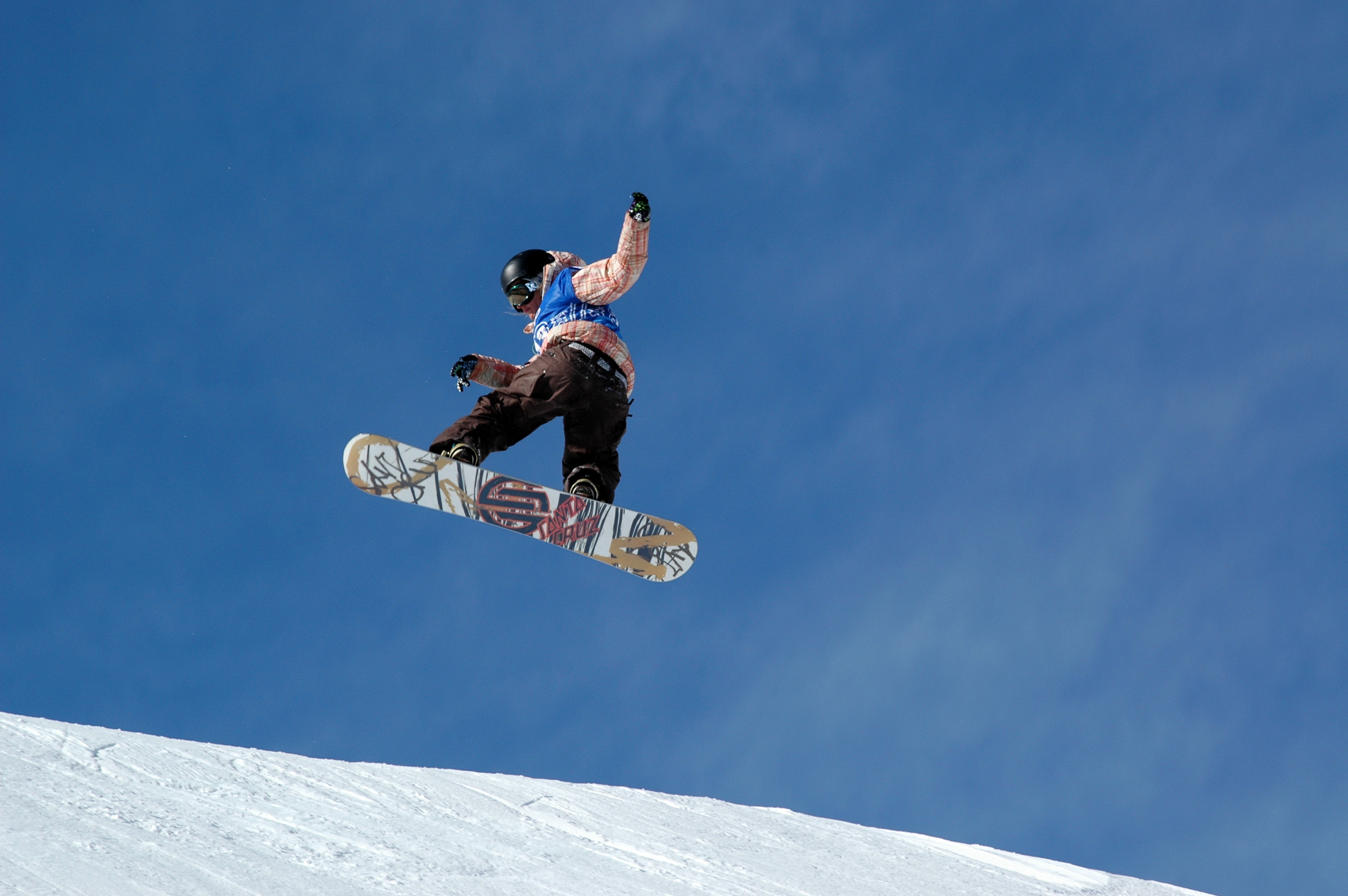
Learning how to snowboard can be daunting and difficult task if you have never done anything of the sort. It is important to be prepared with the right equipment, lessons, and mindset when learning to surf on the snow especially when you first ride on icy slopes that are present all over the east coast.

I have gone to many mountains since first learning and I try to be as versatile as possible in my style of riding because I would like to learn more. It would be nice to see more people sharing the same hobby as me because it’s adrenaline rushing when you discover something interesting. Mountain Creek was the first mountain that I have ever gone to when I first learned how to snowboard, and the amenities provided like any other mountain will help to slowly get you shredding the snow. I will talk about snowboarding for beginners on Mountain Creek because I believe that it is an accessible mountain for anyone on the east coast who are close to New Jersey, New York, and Connecticut. The best way to get better at something is to simply do it. However, it is also important to have a general idea of tips to follow or the direction you want to take when learning something.

This blog will take people step-by-step on how to snowboard particularly for people in the tri-state area. Many people think that snowboarding only consists of a piece of wood that takes you down the hill, which it is. But, there are many technicalities to it that make it much more interesting than it sounds. There are different styles of snowboarding that range from riding in powdered snow to doing tricks in the park. The various types of boards differ in size and shape as well. As you ride more you begin to learn more about what you prefer. Nevertheless, the most crucial part is learning the fundamentals and basics that will allow you to succeed in any type and style of snowboarding.

I chose WordPress as my form of sharing digital media content because information is easily spread across the web through the simple pushes of a few buttons. According to the Creative Commons flyer, “Creative Commons is a nonprofit organization that enables the sharing and use of creativity and knowledge through free legal tools” (Creative Commons License Deed). Under the license people are able to share creative information which is exactly what I want to do.

References

Creative Commons License Deed. (n.d.). Retrieved from https://creativecommons.org/licenses/by/3.0/

Course Takeaways

I learned a lot about communication in this class. From the communication models to digitally presenting information to an audience, there was a lot of communication involved. Strategic presentation is a class at Rutgers University that utilizes digital formats to present information. I personally made a blog site, video, and podcast to showcase the information I wanted my audience to see.

For the technical things, I learned how to make a website using wordpress, and kept updating the blog every time we needed to do an assignment. It is a good way of learning how to manage a website and create a design that is appealing and simple. I took free images and website templates from available-to-use content on the internet. We used an image editing software such as paint or photoshop to create a logo and a background image for the site.

For the video, it was the first time I ever made a video so I had no direction on how to make a video that I can upload to Youtube. I learned to screen record the content on my computer screen and have an audio over it to provide commentary. I then created a Youtube channel for a place to upload my content and share it with my viewers.

Most importantly, I learned a lot about digital presentation. I always thought of presenting as a means of finding a good powerpoint template and pasting random facts onto each slide. But, after doing these projects, I learned about new and fun ways to grab the attention of the people listening to the presentation. There are really effective ways of presenting through videos, blogs, and podcasts and people should take advantage of those means in order to communicate their message effectively. Just as how I am using my blog to promote to anyone who comes across this website.

Podcast!

This is a podcast for those who want to learn more about frugal snowboarding. I talk about all of the equipment you need and where you can find these pieces of equipment to make sure your day on the mountain is more than satisfying. I talk about the equipment in the first section and in the second section I briefly go over the general rules of snowboarding.

Sites used in the podcast:

https://www.the-house.com/

https://www.evo.com/

https://www.craigslist.org/about/sites

Video Tutorial on How to Find Cheap Snowboarding Gear

Although the price tag that comes along with snowboarding is not a pretty sight in your bank transactions, you can do a little more research and snowboard for cheaper so you can still board and do what you love. I will discuss upon the methods and an example way of searching for cheaper snowboarding gear options. This video is for those who want to learn about frugal, in terms of snowboard prices, snowboarding so that they don’t have to break the bank in order to enjoy the perks of shredding.

I expect users to find my video through related searches and shares if people do decide to share my video. Due to the snowboarding genre being not as big as some other genres on YouTube, I believe that my video will not be hidden under the pile of videos. “Practices of watching media content can be instructional and educational, but also transformative in shaping an individual’s perceptions of what is or might be possible” (Wolf, C. T., 2016). People will find this video worth watching because it is informative and it may be information that is not well known to them. It is also able to shape someone’s perceptions of what might be possible in saving money when it comes to snowboarding. People are always looking ways to save money so this information can be transformative in the ways they think about the prices and their actions when they do proceed to buy equipment.

References

Wolf, C. T. (2016). DIY videos on YouTube: Identity and possibility in the age of algorithms. First Monday21(6). doi: 10.5210/fm.v21i6.6787

Header & Image

The header image of my website informs the audience that it is specifically catered to people who are interested in snowboarding. There is a landscape picture of a snowy mountain with a subtle ski lift in the bottom left corner. The logo is also a picture of a drawn figure who is snowboarding. These images can be a welcome into what the site has to offer to the readers.

These source images were found on Google Images by using an advanced search to fit the dimensions of the pages. Since the image dimension requirements were pretty large I had to filter my searches to a larger photo. I know I am allowed to reuse these images because Google Images has an option to give people images that are available to reuse, modify, or even for commercial use.

Manovich(2011) discusses the methods in making a multi-layer image that can improve the look of the final image. Through the use of an image editing platform such as Photoshop, I was able to layer the logo on top of the background image to make a uniform image for the website. The opacity was also changed to make it more transparent to fit into the website aesthetically.

Davison(2015) describes a bitmap as a more mouse driven platform such as MS Paint. The production process of the header image in my website is similar in the way where the program I used has drawing tools but different in the way that layering was used on the final image. Two images were layered on top of each other making it a more dynamic header image than a simple drawn header on MS Paint.

References:

Manovich, Lev. “Inside Photoshop” Computational Culture.

Davison, Patrick. “Because of the Pixels: On the History, Form, and Influence of MS Paint.”